





What is the best code compare tool for Windows?
by Anna Khrupa on Mar 25, 2018
There are many code compare tools that provide users with a wide range of useful features for effective coding and file management purposes. However, which one is the best? It depends on your current needs and particular tasks that they need to solve. In addition, some of them are free, and some cost money.
At QArea, we use three popular code compare tools: CodeCompare, Beyond Compare, and ExamDiff. Each of them has its pros and cons, however, they cover almost all our internal needs and help to develop software faster. Which one to choose for your specific goals, read further in our mini-review.
CodeCompare tool & its visual capabilities
CodeCompare is a cutting-edge file compare tool that gives you an opportunity to compare and merge different source code files. This code compare tool for Windows easily integrated to Visual Studio that allows you to concentrate on your current tasks in one environment. This is one of the reasons why many software developers use this source code compare tool. If you need a standalone of CodeCompare you can also download it from the official website.
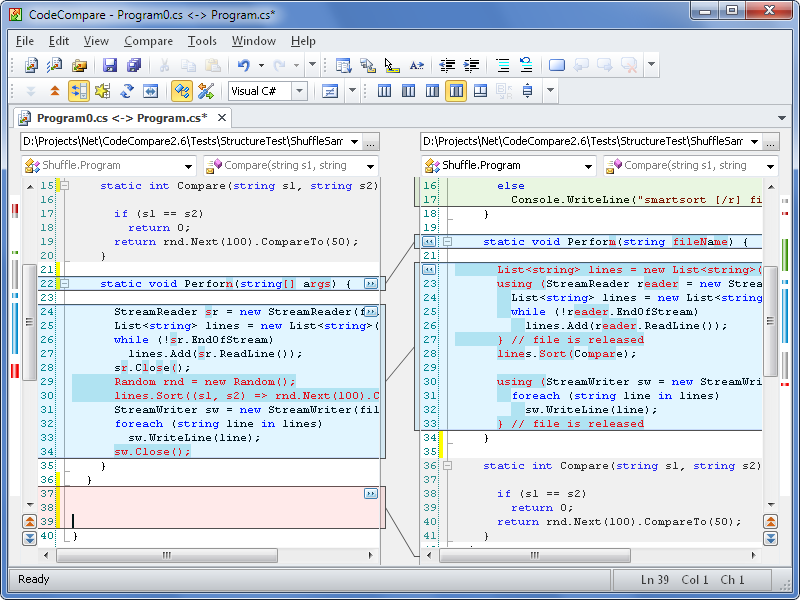
Main features of this code comparison software:
- Structure Comparison
- Lexical Comparison
- Integration in Visual Studio
- Three-way Merge
- Folder Comparison
URL: http://www.devart.com/codecompare/
Price: Freeware
First Release Date: 2010
Beyond Compare tool for easy sync
Beyond Compare is a file and folder comparison tool from Scooter Software. Using this code compare tool you can merge all changes, synchronize your folders and files, and generate custom reports. Unlike CodeCompare, Beyond Compare can compare Microsoft Word (.doc) and Adobe (.pdf) files but you can’t edit them. Beyond Compare has its build-in comparison viewer for different data types.
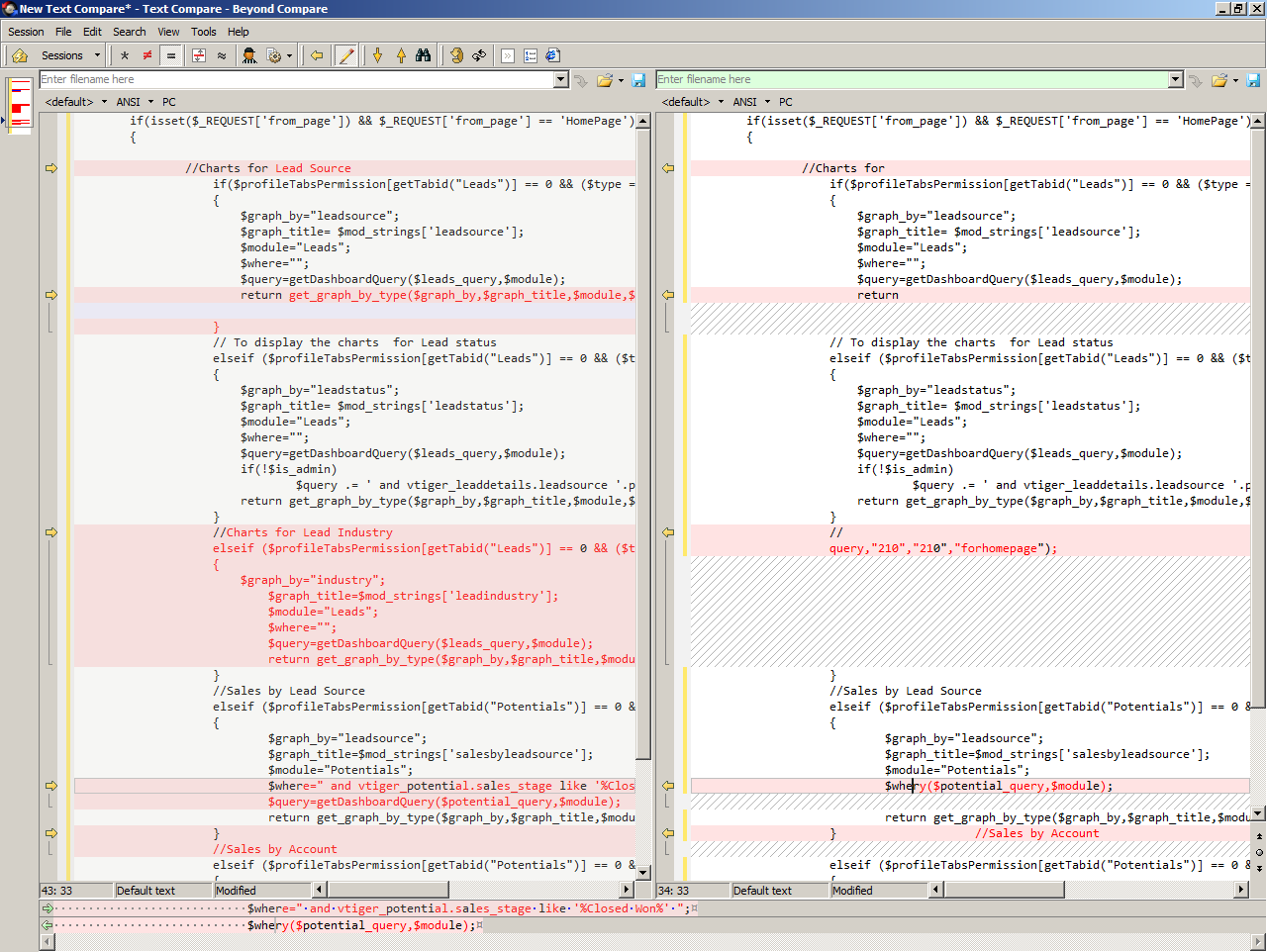
Main features of Beyond Compare:
- Three-way Merge
- Folder Synchronization
- Specialized Viewers (compare .csv data, Microsoft Excel workbooks, HTML tables, pictures, mp3)
- .doc files Comparison
URL: http://www.scootersoftware.com/
Price: Standard Edition: 30$ / user;
Pro Edition: 50$ / user;
First Release Date: 1996
ExamDiff: Freeware code compare tool
ExamDiff is a freeware Windows code compare tool developed by PrestoSoft. This code compare also is easy to use and has all the features that you need to simplify your work. This free visual file compare tool has a wide set of features that were developed based on users needs. Among the major features of this code compare tool, you will find many useful small ones as a customization text and background colors, adjustable pane splitter with smooth synchronized scrolling, fully customizable file extension filter etc.

Major features of ExamDiff:
- Automatically detects file changes
- Easy navigation and search
- Fully customizable
- Common line interface
- One-click re-compare
URL: http://www.prestosoft.com/edp_examdiff.asp
Price: Freeware
First Release Date: 1998

Top Quality Development Services
Hire Our Developers

We Help With
Your tech partner needs to be well versed in all kinds of software-related services. As the software development process involves different stages and cycles, the most natural solution is to have them all performed by the same team of experts. That’s exactly what our diverse range of services is for.
The choice of technology for your software project is one of the defining factors of its success. Here at QArea, we have hands-on experience with dozens of popular front-end, back-end, and mobile technologies for creating robust software solutions.
In-depth familiarity and practical experience with key technologies are one of the cornerstones of successful software development and QA. But it also takes specific knowledge of the industry to develop a solution that meets the expectations of the stakeholders and propels its owner to success.


Ensure an effective online presence for your business with a corporate site.